

Description
Product Overview
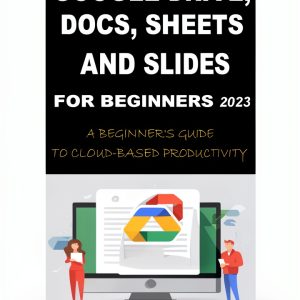
The Google Apps for Everyone Beginner’s Guide is a 506‑page Kindle eBook that provides clear, concise instructions for mastering Google Workspace tools. Enhanced typesetting ensures readability on all screen sizes, while unlimited simultaneous device usage lets you study on any Kindle or compatible app. The file size of 4.2 MB makes downloads fast, and screen reader support guarantees accessibility for all users.
![[Product front view showing all components]](https://www.heatmapco.store/wp-content/uploads/2026/05/911e40c731d94bda8106f79b726d7583.jpg)
Usage
Perfect for students, remote workers, and small business owners, this guide fits into daily study sessions, onboarding programs, or self‑paced learning. Whether you’re drafting documents in Google Docs, managing spreadsheets in Sheets, or collaborating in Slides, the book offers practical examples you can apply immediately. Its portable Kindle format means you can learn on the go, during commutes, or from the comfort of your home office.
Why Choose Us
Our guide stands out with its user‑focused design, including enhanced typesetting for easy reading and full screen‑reader compatibility. The content is regularly updated to reflect the latest Google Workspace features, ensuring you receive current information. Backed by Amazon’s Kindle platform, you benefit from reliable delivery, secure storage, and instant access across devices.
Key Features
- Comprehensive 506‑page coverage of all core Google apps for beginners.
- Unlimited device access lets you study on any Kindle or compatible app.
- Enhanced typesetting provides clear, eye‑friendly reading on all screens.
- Screen reader support ensures accessibility for visually impaired users.
- Responsive customer support offers assistance and updates for the eBook.
FAQ
Is this eBook compatible with my tablet?
Yes, the Kindle app is available for iOS, Android, and most tablets, allowing you to read the guide on any device.
Do I need an internet connection to read the book?
After the initial download, you can read offline without any internet connection.
Will the content be updated for future Google Workspace changes?
We provide periodic updates through the Kindle platform to keep the guide current with new features.
Can I print pages from the Kindle eBook?
The Kindle format does not support direct printing, but you can use Kindle’s export options to create PDFs for personal use.
Is there a warranty or return policy?
Amazon’s standard Kindle eBook return policy applies, allowing returns within 7 days of purchase if you are unsatisfied.



 Nurse Superhero Dosage Calculation Book 2 – Cardiothoracic Surgery
Reviews
There are no reviews yet.